Switch 2 problem

What’s the Problem with the Nintendo Switch 2?

So, everyone’s been super excited about the Nintendo Switch 2 — the follow-up to the hugely popular original Switch. But there are a couple of problems popping up that make fans a bit worried:


  1. Delays, Delays, Delays

People were expecting Switch 2 to come out in 2024, but now it looks like it might not drop until early 2025. That’s a long wait, especially since Nintendo hasn’t said much officially. It’s frustrating when you’re hyped and left hanging!


  1. Will It Be Powerful Enough?

There are rumors that the Switch 2 won’t be as powerful as the PS5 or Xbox Series X. Some people worry it might struggle with newer games or won’t feel like a true “next gen” console. Basically: “Will it be just another small upgrade?”


  1. Maybe A Backwards Compatibility?

Fans really want to play their old Switch games on the new console. Some reports say it’ll support that; others aren’t so sure. If it doesn’t, people won’t be happy having to rebuy games they already own.


  1. Price Concerns

If Switch 2 has better hardware, it’ll probably be more expensive. But how much more? People love the Switch partly because it’s affordable. If the new one costs too much, it could turn some buyers off.


TL; DR:

The Switch 2 sounds exciting, but fans are worried about delays, power, price, and whether their old games will still work. Everyone’s hoping Nintendo gets it right — but for now, we’re stuck waiting and guessing.


Should You Update? iOS 18.5 ?

Security: Over 30 Major Fixes

iOS 18.5 comes packed with more than 30 important security patches, making it a must-have update for all iPhone users. It closes off several potential vulnerabilities that could be exploited, so updating helps keep your device safe and secure.

🌐 New Features: Better Functionality

  1. Satellite Connectivity for iPhone 13
    iPhone 13 users can now use satellite-based messaging through carriers like T-Mobile. However, the Emergency SOS via Satellite feature still remains exclusive to iPhone 14 and newer.
  2. Mail App Improvements
    The “All Mail” view is back, making it easier to see all your emails in one place. You can also now hide contact photos directly from the Mail app—great for a cleaner look.
  3. Screen Time Alerts for Parents
    Parents will now get a notification if their kid enters the passcode to disable Screen Time restrictions. Handy for keeping an eye on device use!
  4. New “Pride Harmony” Wallpaper
    To celebrate Pride Month, Apple added a new “Pride Harmony” wallpaper so users can show support and customize their home screen.
  5. Easier Purchases in Apple TV App
    The “Buy with iPhone” feature is now available in the Apple TV app on third-party devices, letting you confirm purchases right from your iPhone.
  6. Clearer Warranty Info
    You can now check your device’s warranty status and AppleCare+ coverage right in the Settings app. Super convenient.


⚙️ Performance and Stability: Smoother Experience

Many users have noticed better performance and fewer bugs after updating to iOS 18.5—issues like black screens when opening the camera and frozen apps have reportedly been fixed. But not all feedback is positive—some iPhone 16 Pro users are seeing battery drain and frequent app crashes

📱 Should You Update?

If you’ve got an iPhone 13 and want satellite messaging, or you’re interested in new features like improved parental controls and easier Apple TV purchases, this update is definitely worth it.
But if you’re on an iPhone 16 Pro, you might want to hold off a bit or do some research first—there are reports of performance issues on that model.


Android External Device Issues – External Microphone Issues

Do your Samsung/ Android device having several issues with External microphone from your headset/ external device? and your phone still with Jack audio? does not record a single sound on your phone.

you can listen to any sounds using your earphones/headphone but during Call the person/ calling can’t hear your own voice, tried basic call, Googlemeet & in voice recorder, still no mic sound.

and you think the headphone jack on your phone has no “input for mic”. Only has output for listening to sounds..

and you already done some basic reset such as

– Tested several headsets
– Rebooted several times
– Booted into safe mode, and mic still didn’t work.

Got Solution for you.

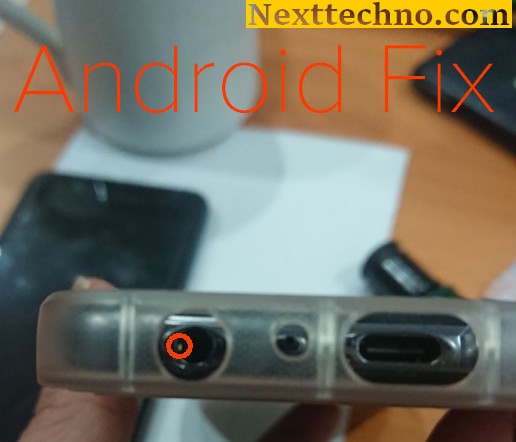
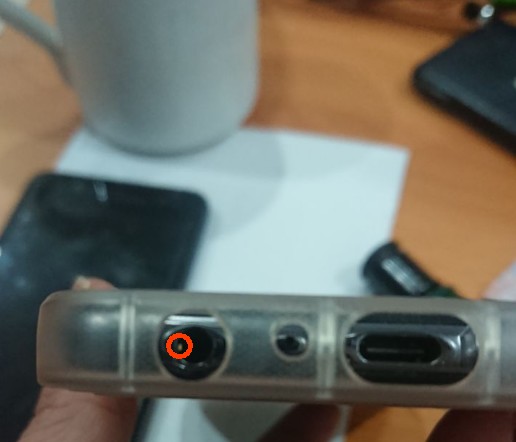
Just bent out the microphone pin with a small screwdriver / Pin and now it works great again.

Explanation of generative artificial intelligence and its applications in various industries.

The generated AI is an artificial intelligence that can create new content and ideas, including dialogue, stories, pictures, videos, and music. Like all AI, the ML model -driven large models use AI. These models can be used on a large amount of data, which is usually called the basic model (FMS). The latest progress of ML (especially the invention of the neuron network structure based on a transformer) has led to the rise of a model containing billions of parameters or variables. In order to understand the changes in scaling, the biggest model proposed in 2019 is 330 m parameters. Now, the largest model exceeds 500B parameters -only increased by 1,600 times in just a few years. Today’s FMS, such as LLM (Large Language Model) GPT3.5 or Bloom, and text made of stability-AI, the stable diffusion of image models can perform extensive tasks including multiple domains, such Generate pictures, mathematical questions, dialogue and answer questions according to the file. The size and nature of the FMS distinguish them from the conventional ML models that are usually performed at certain tasks, such as B. Text’s emotional analysis, image classification, and predictive trends

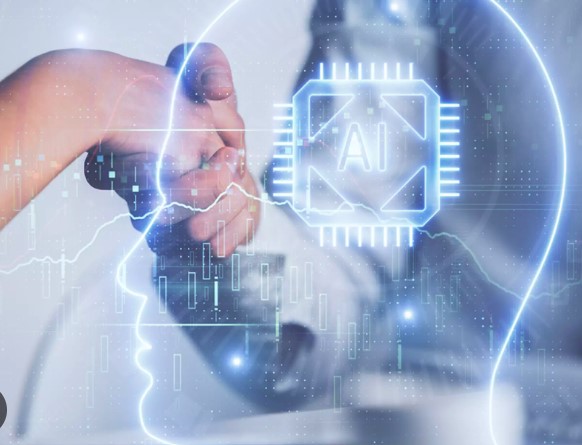
At a high level, the generated AI refers to a class of AI models and tools developed for creating new content (such as text, images, videos, music or code). The generated AI uses various technologies-including neuron network and deep learning -rgorithms-to identify mode and generate new results based on them. Organizations and personnel (including software developers and engineers) are increasingly looking for generating Ki tools to create content, code, pictures, etc.

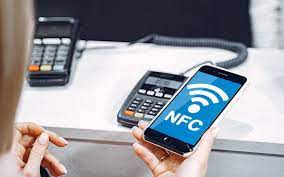
NFC Functions on Smartphones

There are many NFC functions on smartphones and iPhones. Because Android phones are now equipped with NFC or Near Field Communication. At first, this feature was only available on middle- and upper-class Android phones. However, as the times have progressed, since 2021, you can get an Android cellphone equipped with NFC at a price of 2 million.

Variety of NFC Functions on Smartphones
Because there are so many NFC functions on cellphones, later this feature will become a standard feature for every new Android cellphone that will be released. So, what are these functions. Check out the following reviews.

Electronic Money Top Up
The first function is to top up and check electronic money balances. The reason is now, electronic money is a means of payment that is used for several purposes. So, when electronic money runs out, you can top up at any time without needing to go to the convenience store or ATM.

Payment Instrument
To use NFC as a means of payment you need to use an Android application that supports payments via NFC. When you are going to pay, you need to scan it by attaching it to the back of the cellphone to the NFC sensor that is in the cash register.

Sharing Videos and Photos
The NFC function on the next smartphone is to send videos and photos wirelessly. For a faster method, simply touch the back of the cell phone against the NFC logo on a device with NFC. The FC feature can make it easier for you to move large videos and photos in a short time.

Scan Information from Smart Poster
Smart Poster is a type of creative media that is widely used by several brands. This media already has an NFC chip in it, so it can display promotional content dynamically. When you attach your smartphone to the NFC chip on the poster, you will be able to see special promo content or web pages from a brand.

Wifi access
The NFC on Android phones can also be used for various WiFi connections. Later WiFi owners can share internet connection with other devices using NFC. The trick is to get closer to the back of the body and scan the NFC chip.

Speaker Connection
Now, mobile speakers are no longer wired. Most of the speakers connected to the HP via Bluetooth. However, there will usually be a lot of problems when connected. Because portable speakers are equipped with NFC. So that it functions to connect the cell phone to the speaker by placing the cell phone on top of the speaker.

Sharing Contacts
Furthermore, the NFC feature also makes it easier for you to share contacts or phone numbers with other devices. For that, you don’t need to write or mention the contact’s name. By using NFC, you can also fill in all the data in the contact.

Data Sharing
The first time Android Beam technology was introduced in Android 4.0. With this technology, devices can share data in proximity. When there are two Android cell phones with NFC close together. Later a notification will appear around the question whether to share content or not.

Access Card Emulation
The NFC function on smartphones then becomes access card emulation. The reason is that access cards can open doors as well as tickets so that users can use the elevator. So that the data on the access card can be transferred to the NFC feature.

check in.
Finally, the NFC function on a smartphone is check-in. Check-in is a basic function that needs to be done when NFC is embedded in a cell phone. The reason is that this check can be useful to notify that someone is at certain coordinates.